AI Automation for Businesses: How Companies Are Reducing Costs and Improving Efficiency
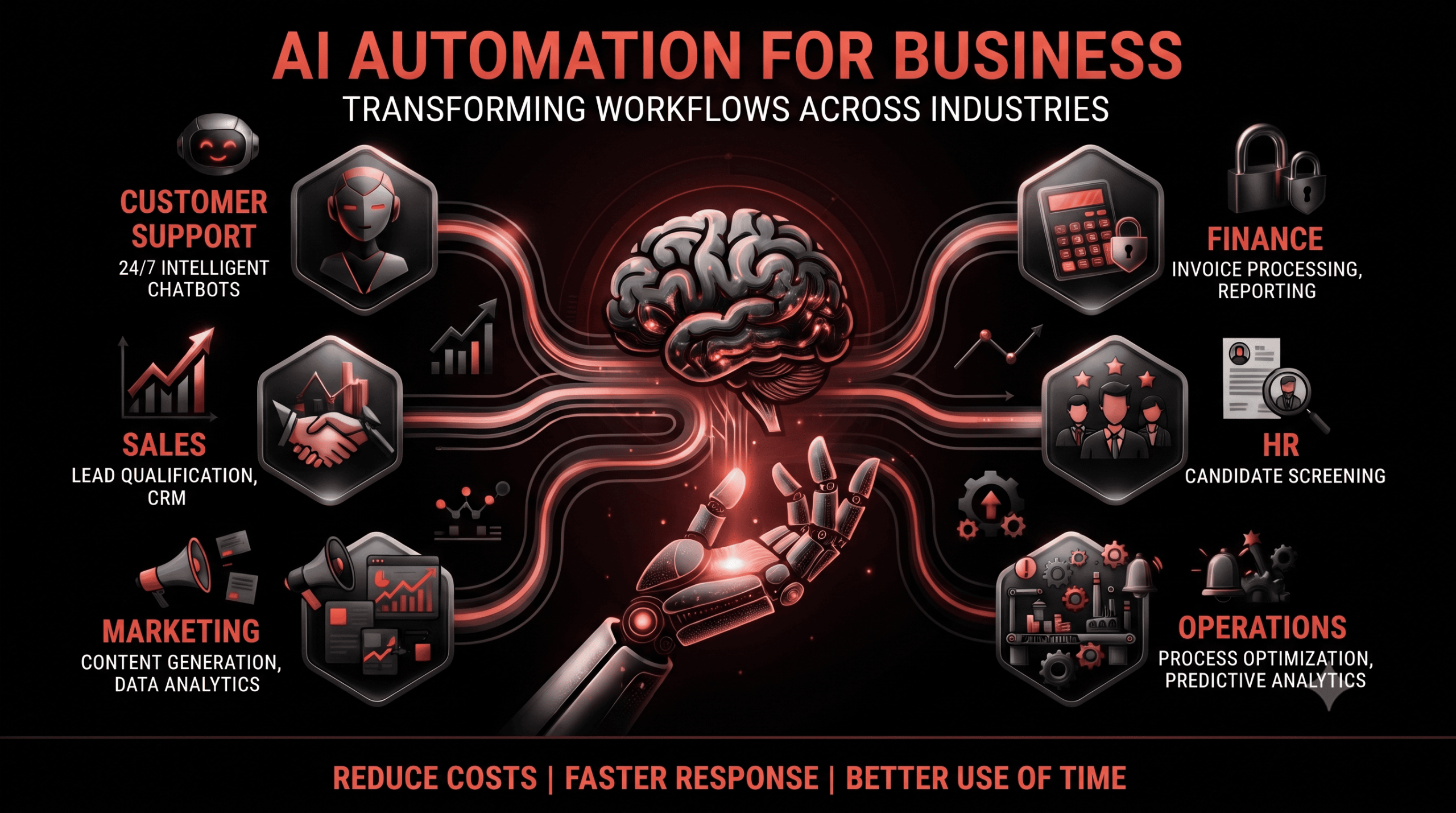
Businesses across industries are looking for practical ways to reduce operational costs, respond faster to customers, and make better use of employee time. Manual processes such as data entry, lead qualification, invoice processing, customer support, and reporting can consume hours every week, particularly when teams are handling large volumes of information.
This is where AI automation for business is becoming increasingly useful. Unlike basic automation that follows fixed rules, AI-powered systems can interpret information, identify patterns, generate responses, and support decisions across different workflows. AI business automation can help companies reduce repetitive work while allowing employees to focus on activities that require judgment, creativity, and human interaction.
From customer service and sales to finance and operations, AI solutions for businesses can be applied to specific processes rather than requiring companies to automate everything at once. Let’s look at how businesses are using AI automation in practical scenarios.
What is AI Automation for Business?
AI automation for business combines artificial intelligence with automated workflows to complete tasks that traditionally require human input. Instead of simply following a fixed set of instructions, an AI-powered workflow can understand information, analyse data, generate content, identify patterns, make classifications, and trigger actions based on the information it receives.
Traditional automation generally works through predefined rules. For example, a workflow might send an email whenever a customer submits a form. AI automation can go further by analysing the submitted information, determining what the customer needs, categorising the request, and deciding which workflow should be triggered.
Common business tasks that can be automated include:
- Data entry and information extraction
- Customer support responses
- Lead qualification
- Email processing
- Invoice extraction
- Document summarisation
- Report generation
- CRM updates
- Data analysis
For example, imagine a sales team receiving 100 enquiries every day. Instead of manually reviewing every enquiry, an AI system can analyse each message, identify the customer’s requirements and buying intent, categorise the enquiry, and route high-priority leads to the appropriate salesperson.
The objective is not simply to replace a manual task. It is to create a workflow where AI handles repetitive processing and employees remain involved where human judgment is important.
How AI Business Automation Helps Companies Reduce Costs
1. Automating Repetitive Administrative Work
Administrative processes often involve repetitive actions that take considerable employee time.
For example, an employee may spend three hours every day entering customer information into a CRM. An AI-powered workflow could extract information from emails or forms, create CRM records, identify duplicate information, and organise the data automatically.
Employees can then spend more time on activities such as customer communication, sales, analysis, and decision-making.
Business impact: Less manual processing and more productive use of employee time.
2. Reducing Customer Support Workload
Customer support teams frequently answer the same types of questions repeatedly. An e-commerce company, for example, may receive hundreds of enquiries about orders, deliveries, returns, product information, and frequently asked questions.
AI automation can handle many routine interactions by:
- Answering common questions
- Checking order information
- Providing delivery updates
- Guiding customers through basic processes
- Classifying support tickets
- Escalating complex issues to human agents
This creates a support workflow where AI handles routine requests while employees focus on cases that require investigation, negotiation, or personal assistance.
3. Automating Lead Qualification
Sales teams can lose valuable time reviewing large volumes of enquiries manually.Consider a B2B company receiving 500 website enquiries. An AI-powered workflow can read each enquiry, identify the customer’s requirements, analyse indicators of buying intent, categorise the lead, and send high-intent enquiries to the relevant sales representative.This allows sales teams to prioritise their time instead of treating every enquiry in exactly the same way.
AI Automation Examples Across Different Business Functions
| Business Function | Manual Process | AI Automation Example |
| Sales | Manually qualify leads | AI-assisted lead scoring and qualification |
| Customer Support | Answer repetitive questions | AI chatbot and automated ticket classification |
| Marketing | Prepare reports manually | Automated AI-assisted reporting |
| Finance | Process invoice information | AI invoice data extraction |
| HR | Review applications manually | AI-assisted candidate screening |
| Operations | Prepare daily reports | Automated data analysis and reporting |
The exact level of automation depends on the company’s workflow, data, existing software, and requirements. In many cases, AI works alongside existing systems rather than replacing them.
5 Real-World AI Automation Scenarios
Example 1 – A Manufacturing Company
Problem: Employees manually monitor production information and prepare regular performance reports.
AI solution:
- Collect production data from connected systems
- Analyse production patterns
- Identify unusual changes
- Generate regular reports
- Alert managers when selected performance indicators change
Result: Reporting can become faster and managers can receive relevant information without waiting for reports to be prepared manually.
Example 2 – A Healthcare Business
Problem: Staff spend significant time handling routine appointment enquiries.
AI solution:
- Answer common questions
- Collect required information
- Help schedule appointments
- Send appointment reminders
- Route complex requests to staff
Result: Administrative teams can spend less time handling repetitive enquiries while patients receive faster responses.
Any healthcare implementation should also account for privacy, security, regulatory requirements, and appropriate human oversight.
Example 3 – An E-commerce Business
Problem: Customer support receives repetitive questions about orders and deliveries.
AI solution:
- Check order information
- Provide delivery updates
- Answer common product questions
- Handle basic return requests
- Escalate complicated cases to support representatives
Result: Support teams can focus their attention on complex customer issues instead of repeatedly answering routine questions.
Example 4 – A Real Estate Company
Problem: Sales teams receive a large number of enquiries but cannot manually follow up with every prospect immediately.
AI solution:
- Respond automatically to new enquiries
- Ask qualifying questions
- Categorise prospects
- Update CRM records
- Schedule calls or property visits
- Trigger appropriate follow-up messages
Result: Sales teams can organise enquiries more efficiently and respond to prospects without relying entirely on manual follow-ups.
Example 5 – A Professional Services Company
Problem: Employees spend hours preparing proposals, reports, meeting summaries, and client updates.
AI solution:
- Extract information from existing documents
- Create first drafts
- Summarise meetings
- Prepare client reports
- Draft follow-up emails
Result: Employees can spend less time preparing initial documents while retaining responsibility for reviewing, editing, and approving the final output.
AI Solutions for Businesses: What Can You Automate?
AI automation can be applied across multiple departments. The right opportunity depends on where a business has repetitive processes, large amounts of information, or workflow bottlenecks.
Customer Service
AI can support customer service teams through:
- Chatbots
- Automated email responses
- Ticket classification
- FAQ automation
- Request routing
Sales
Sales workflows can use AI for:
- Lead qualification
- Lead scoring
- Follow-up automation
- CRM updates
- Enquiry categorisation
Marketing
Marketing teams can use AI for:
- Content generation
- Customer segmentation
- Campaign reporting
- Data analysis
- Personalisation
Human review remains important for brand messaging, factual accuracy, and campaign decisions.
Finance
Finance teams can automate tasks such as:
- Invoice data extraction
- Expense categorisation
- Financial report preparation
- Payment reminders
- Document processing
Operations
AI can support operational workflows through:
- Data processing
- Report generation
- Workflow management
- Anomaly detection
- Predictive alerts
How Much Can Businesses Save With AI Automation?
The potential savings from automation depend on the number of employees involved, task frequency, process complexity, and how much of the workflow can realistically be automated.
A simple calculation can help businesses identify an opportunity.
For example:
5 employees × 2 hours/day spent on repetitive tasks = 10 hours of manual work every day.
If an AI workflow reduces a meaningful portion of that repetitive work, those hours can potentially be redirected towards sales, customer service, strategy, analysis, or other productive activities.
Businesses can evaluate the financial impact by comparing:
Current process cost − Automated process cost = Potential operational saving
However, implementation costs should also be considered, including software, integrations, development, maintenance, training, and ongoing monitoring.
AI Automation vs Traditional Automation
AI automation and traditional automation both have their place in business technology. The main difference is how they handle information and decision-making.
| Traditional Automation | AI Business Automation |
| Rule-based | Can handle more variable inputs |
| Uses predefined workflows | Can interpret information and classify inputs |
| Usually works best with structured information | Can work with certain types of unstructured information |
| Requires predefined conditions | Can use AI models to analyse and generate outputs |
| Predictable inputs and outcomes | Can process more complex or variable inputs |
Traditional automation can remain the right choice when a process is highly predictable. AI becomes more useful when workflows involve documents, natural language, classification, summarisation, prediction, or other variable inputs.
How to Start With AI Automation for Your Business
Successful automation usually starts with a specific business problem rather than a technology-first approach.
Step 1 – Identify Repetitive Tasks
List processes employees perform repeatedly. Look for tasks involving manual data entry, document processing, repetitive communication, reporting, or information transfer between systems.
Step 2 – Calculate the Time and Cost
Estimate how many hours employees spend on each process and how frequently the task occurs. This creates a baseline for measuring improvement later.
Step 3 – Select the Right AI Solution
Choose an AI solution based on the actual business requirement. Consider existing software, available data, integration requirements, security, scalability, and human oversight.
Step 4 – Start With One Workflow
Instead of attempting to automate every department simultaneously, begin with one well-defined process. A smaller implementation makes it easier to identify problems and measure results.
Step 5 – Measure the Results
Track measurable indicators such as:
- Time saved
- Operational cost
- Response time
- Error rates
- Employee productivity
- Processing volume
Step 6 – Expand Automation
Once the workflow performs reliably, businesses can identify other processes where AI automation may provide measurable value.
Common Mistakes Businesses Make When Implementing AI Automation
AI automation can create significant operational value, but implementation requires planning. Common mistakes include:
- Automating a process that is not actually inefficient
- Choosing AI before identifying the business problem
- Automating without appropriate human review
- Ignoring data quality
- Failing to measure ROI
- Trying to automate too many workflows at once
- Overlooking integration requirements
- Not defining who is responsible for reviewing AI-generated outputs
The technology should support a clear business objective rather than becoming an end in itself.
The Future of AI Automation for Businesses
AI automation is moving beyond individual tasks towards workflows that can coordinate multiple steps. AI agents, for example, can potentially handle sequences of activities across connected systems, subject to appropriate permissions, controls, and human oversight.
Businesses are also likely to see greater use of:
- AI agents for multi-step workflows
- Personalised customer interactions
- AI-assisted decision-making
- Integration between CRM, ERP, support, finance, and other business systems
- Automated analysis across multiple data sources
- Greater emphasis on human + AI collaboration
The focus is increasingly shifting from automating isolated tasks to creating connected workflows where AI can assist employees throughout a business process.
Conclusion
AI automation for business is not about automating every task an employee performs. It is about identifying repetitive, time-consuming processes where AI can handle part of the workload while employees remain responsible for decisions that require context, judgment, and accountability.
From customer service and sales to finance, HR, marketing, and operations, AI business automation can help organisations create more efficient workflows. The most practical approach is to start with one clearly defined process, establish measurable goals, implement the appropriate AI solutions for businesses, and evaluate the results.
For companies exploring AI automation, the starting point should always be the business problem. Once the right workflow has been identified, AI can become a practical part of improving how that process operates.
Looking to identify where AI can make a practical difference in your business? Partner with WEBaniX to explore AI automation solutions tailored to your workflows, processes, and business goals.
FAQs
What is AI automation for business?
AI automation for business uses artificial intelligence within automated workflows to perform or assist with tasks such as data processing, customer support, lead qualification, document analysis, reporting, and information classification.
How can AI automation reduce business costs?
AI automation can reduce the amount of employee time spent on repetitive tasks. The potential financial impact depends on the volume of work, labour time involved, automation level, implementation costs, and process efficiency.
What business processes can be automated with AI?
Businesses can automate or assist with processes such as customer support, lead qualification, CRM updates, invoice processing, document extraction, reporting, email handling, data analysis, and workflow management.
What are some examples of AI business automation?
Examples include AI chatbots for customer support, automated lead qualification, invoice data extraction, AI-assisted reporting, document summarisation, and automated CRM updates.
Is AI automation suitable for small businesses?
Yes. Small businesses can use AI automation for focused workflows such as customer enquiries, appointment scheduling, email processing, lead qualification, reporting, and administrative tasks. Starting with one measurable process can make implementation easier to manage.
What is the difference between AI and traditional automation?
Traditional automation generally follows predefined rules and workflows. AI automation can process more variable information and perform tasks such as classification, summarisation, content generation, and pattern analysis.
How do businesses calculate the ROI of AI automation?
Businesses can compare the current cost and time required for a process with the cost and time required after automation. They should also include implementation, integration, maintenance, training, and monitoring costs when calculating ROI.